Step-4 Configure REST API Client
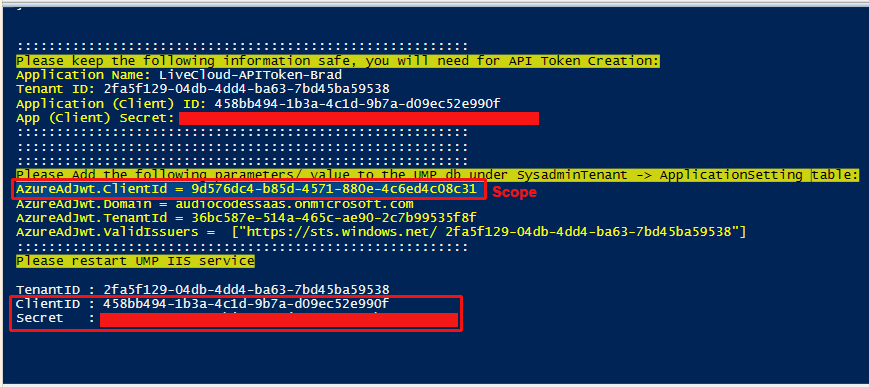
For performing actions on Live Platform using REST API, connection must be established between the REST API client and the Live Platform UMP-365 server. Permissions for this connection are managed through the Live Platform Public Token registration on the Server Provider Azure tenant. The following values must be extracted from the Live Platform UMP-365 server REST API Public Token registration (see Secure Connection to Live Platform REST API Server) and configured on the REST API client:
| ■ | Application (client) Id |
| ■ | Client secret |
| ■ | Scope |
The procedure below describes establishing a connection using the Postman REST API client.
| ➢ | To configure REST API client: |
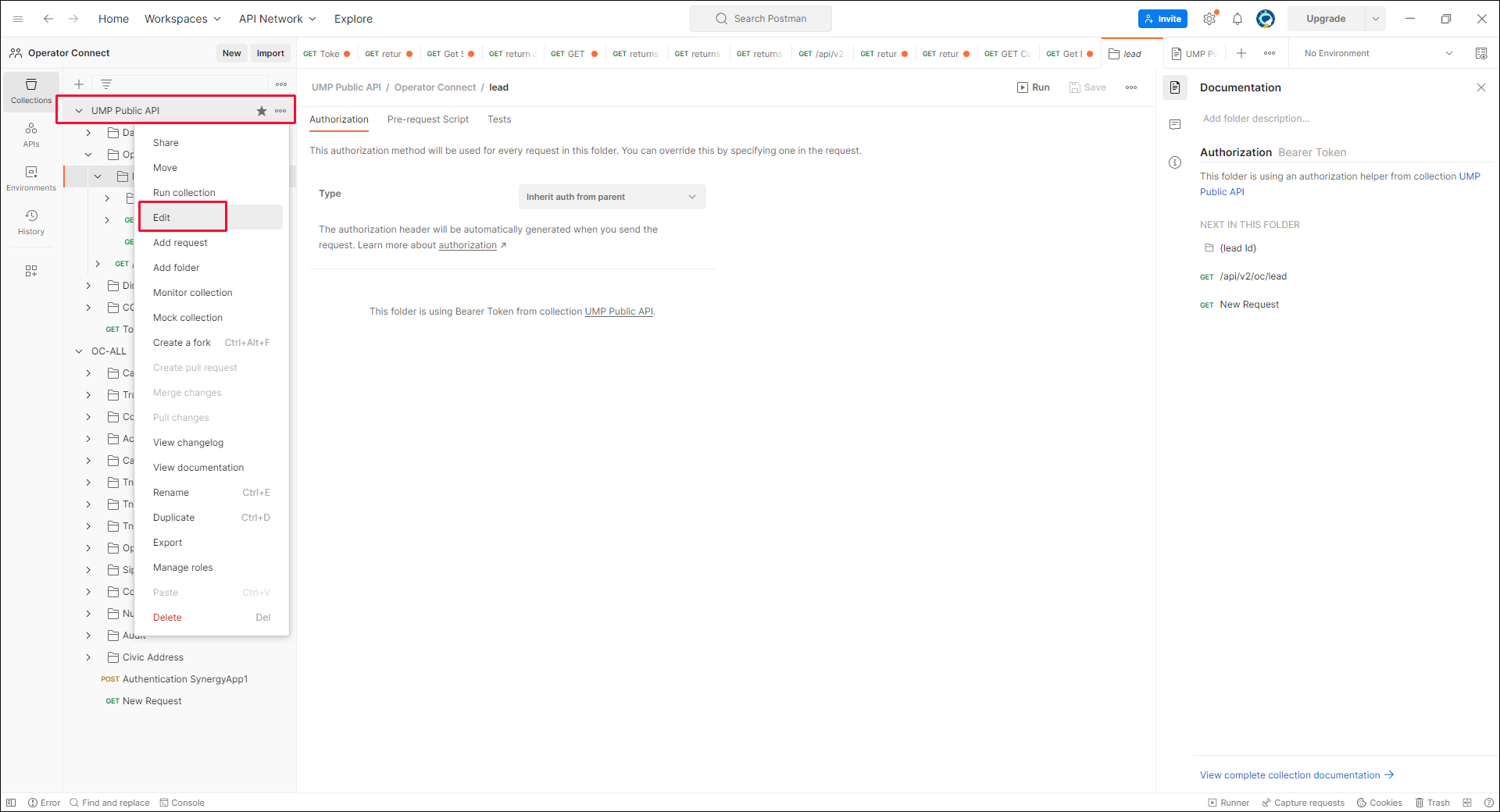
| 1. | In the root menu for the UMP-365 Public API, right click .... and then choose Edit. |
| 2. | Click the Variables tab. |
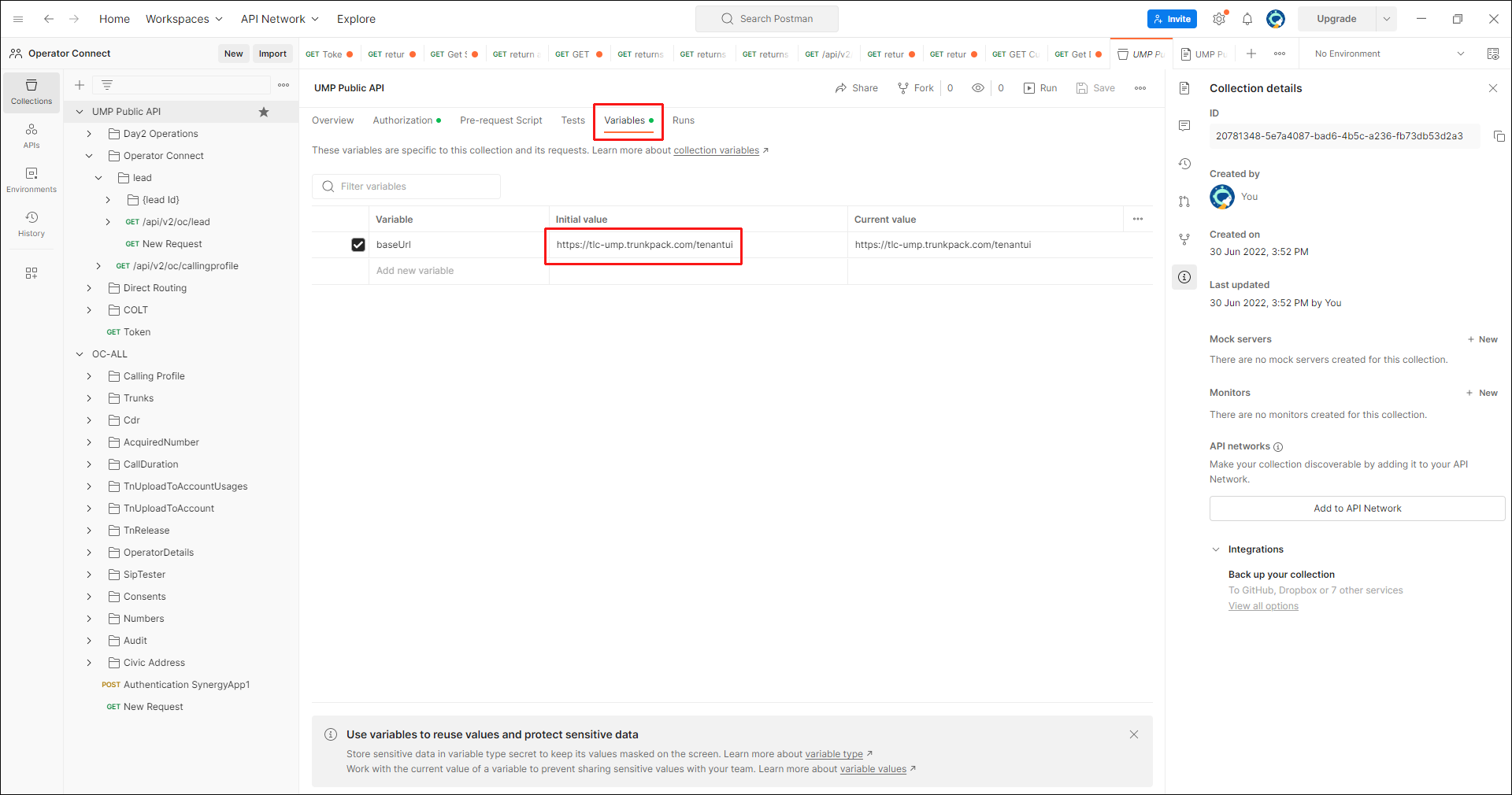
| 3. | Change the baseUrl to your Service Provider Url: |
https://<Service Provider Url>/tenantui
| 4. | Select the UMP Public API folder, and then click the Authorization tab. |
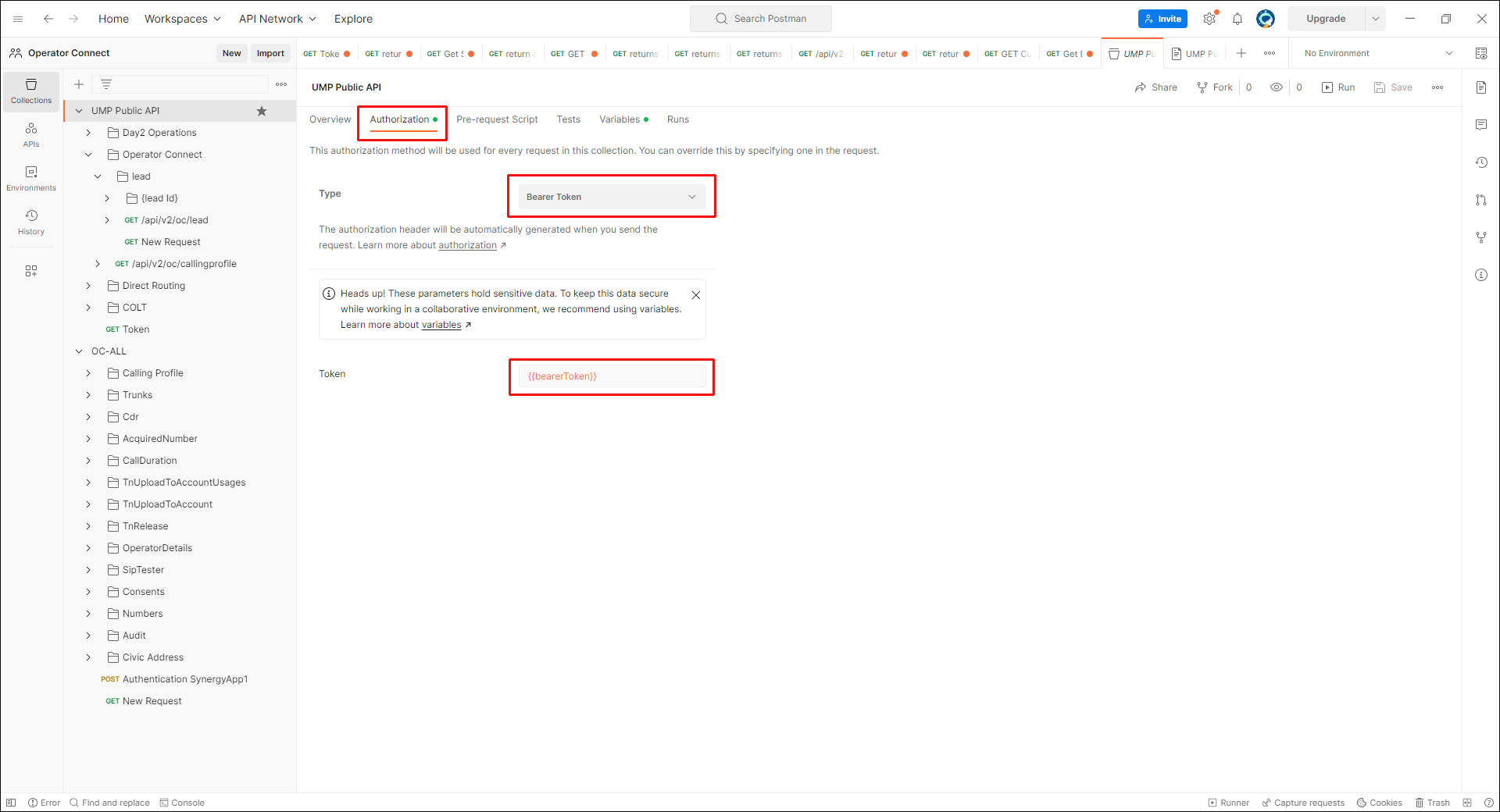
| 5. | In the Type field, from the drop-down list, select Bearer Token. |
| 6. | Click the Tests tab and verify that the bearer Token variable is set in the line pm.globals.set. |

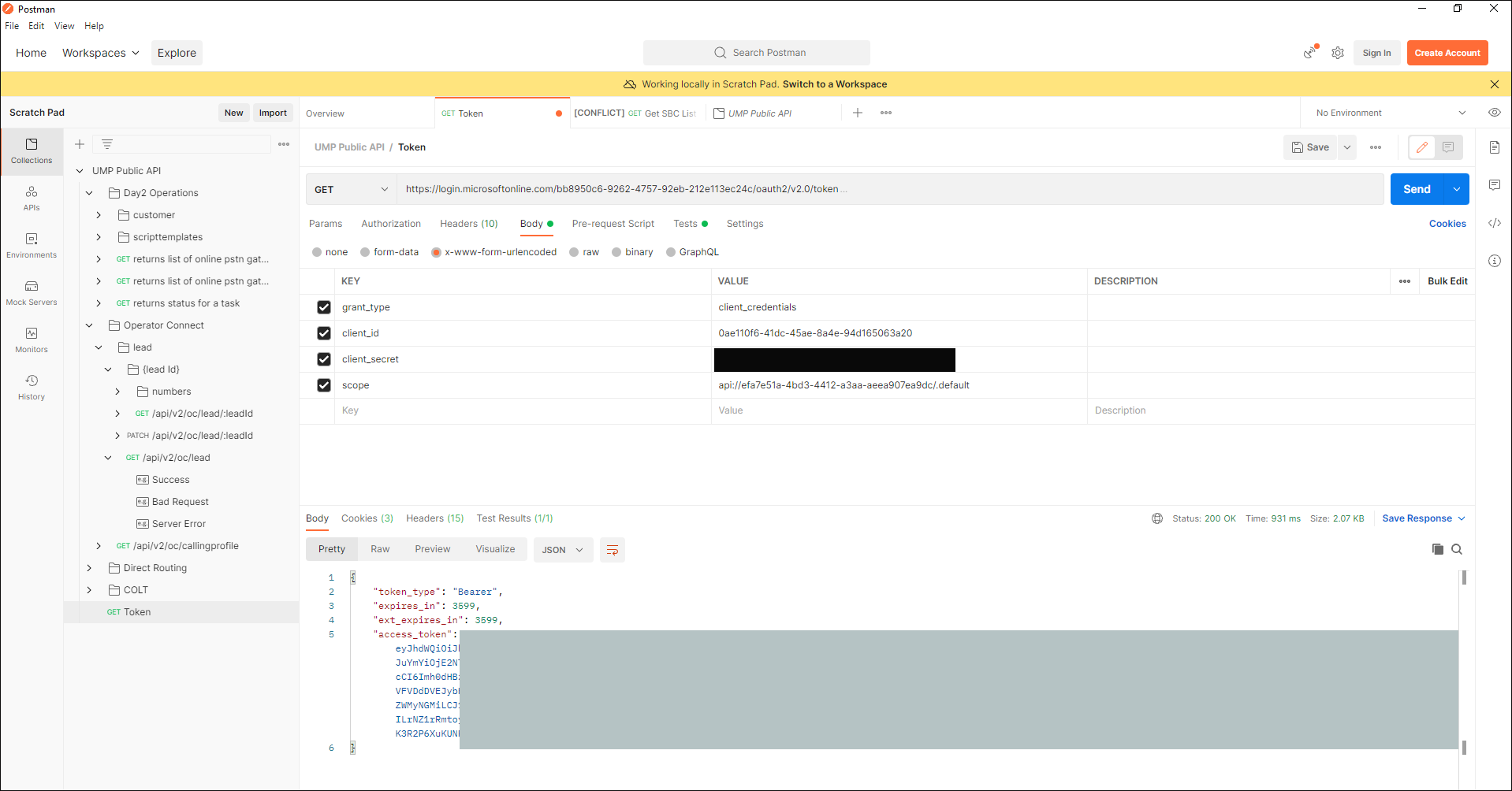
| 7. | Select the Get Token endpoint, and then click the Body tab. |
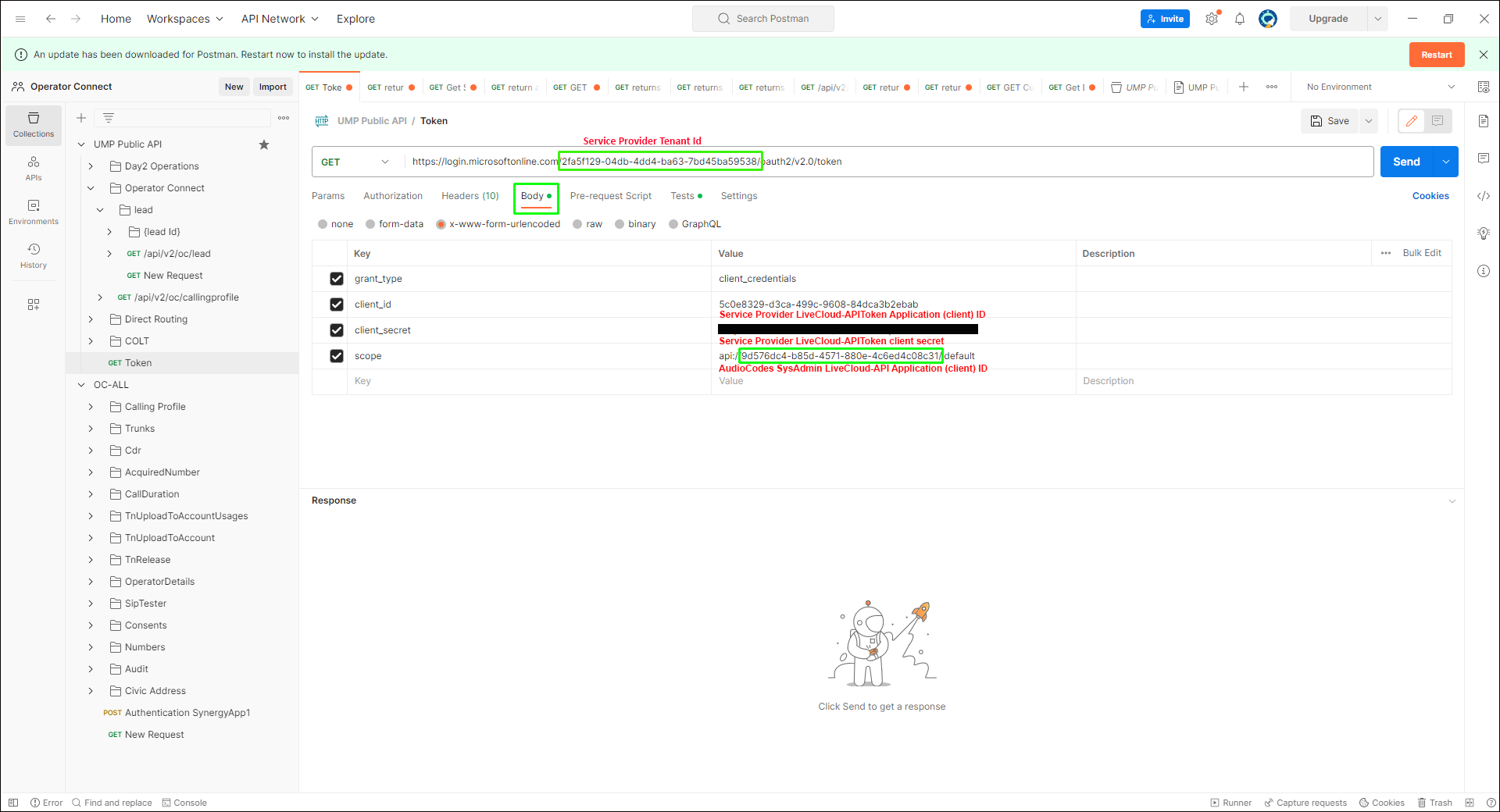
| 8. | Configure the following parameters (extracted from the LiveCloud-APIToken registration): |
|
Attribute |
Type |
Description |
|||
|---|---|---|---|---|---|
|
Service Provider Tenant ID |
path |
Enter the Directory (tenant) ID of the tenant where the LiveCloud-APIToken registration is setup (see Secure Connection to Live Platform REST API Server). |
|||
|
client_id |
string |
Application (client) ID of the LiveCloud-APIToken registration (see Secure Connection to Live Platform REST API Server). |
|||
|
client_secret |
string |
client_secret of the LiveCloud-APIToken registration (see Secure Connection to Live Platform REST API Server). |
|||
|
scope |
string |
The scope is as follows: api://9d576dc4-b85d-4571-880e-4c6ed4c08c31/.default Where the value highlighted above is inherited from the AudioCodes SysAdmin tenant iveCloud-APIToken registration:
|
| 9. | Click Send to generate the access token. The token is generated. |
The following unauthorized client error may occur if the credentials of your tenant cannot be validated:
{
    "error": "unauthorized_client",
    "error_description": "AADSTS700016: Application with identifier 'Client_ID' was not found in the directory 'AudioCodes'. This can happen if the application has not been installed by the administrator of the tenant or consented to by any user in the tenant. You may have sent your authentication request to the wrong tenant.\r\nTrace ID: d664d48a-6e66-4248-9ea2-3e9c01b56000\r\nCorrelation ID: de70eebb-53be-481b-a4dc-18a7493c3fa4\r\nTimestamp: 2023-09-21 15:41:48Z",
    "error_codes": [
        700016
    ],
    "timestamp": "2023-09-21 15:41:48Z",
    "trace_id": "d664d48a-6e66-4248-9ea2-3e9c01b56000",
    "correlation_id": "de70eebb-53be-481b-a4dc-18a7493c3fa4",
    "error_uri": "https://login.microsoftonline.com/error?code=700016"
}